Building Accessibility Auditing Into Agent-Driven Workflows
We built our accessibility testing tool as a CLI that AI agents can call, so automated accessibility testing runs inside your workflow. Here is the architecture behind it.
Quick Summary
- The auditor runs as a CLI that AI agents can call. It is exposed to agents like Claude Code and OpenAI Codex, which load a skill, run the checks, and produce an HTML report. That places accessibility testing inside the development workflow teams already use, instead of a separate manual pass at the end.
- Automation and AI each handle the layer they are suited to. Automation runs the mechanical, deterministic checks, and AI handles the contextual judgment a human auditor used to make, such as whether alt text is meaningful rather than merely present. Running everything through AI proved impractical on cost and time, so the split keeps the tool fast enough to run continuously.
- Using only Playwright's engine keeps passes fast. The tool uses the part of Playwright that runs the tests, not the full framework, so it can run 10 or 20 checks in parallel without the overhead of a full suite. Speed is what lets the checks live in continuous integration or a pre-publish step instead of getting pushed to the end.
- The checks map to WCAG, with AI on top. Each guideline has at least one test, and AI supplies the contextual judgment the automated results cannot. That combination is what lets the tool decide whether something passes or fails the way a human auditor would.
- Because it runs as an agent tool, it can fix as well as find. With access to the page's code, it can apply a clear correction, such as a missing language attribute, or lay out the trade-offs on a judgment call, such as rewording alt text, and leave that decision to a person. A traditional scanner stops at a list of findings because it cannot act on the code.
- It fits the pipeline you already run. The tool slots into continuous integration, pull-request review, and pre-publish steps, and it needs no separate accessibility platform. That makes accessibility a routine part of how a team ships rather than a scheduled audit.
When we set out to make accessibility auditing something teams could run constantly, the format mattered as much as the checks themselves.
We built the auditor as a command-line tool that any AI agent can call. It runs inside the development workflow teams already use, rather than as a separate manual pass at the end of a project.
In a recent Octahedroid webinar, my colleague Rosa and I demonstrated the tool live. This is how it is built, why we made it agent-native from the start, and how that design lets it both find accessibility issues and help fix them.
Why We Built the Accessibility Testing Tool as a CLI for AI Agents
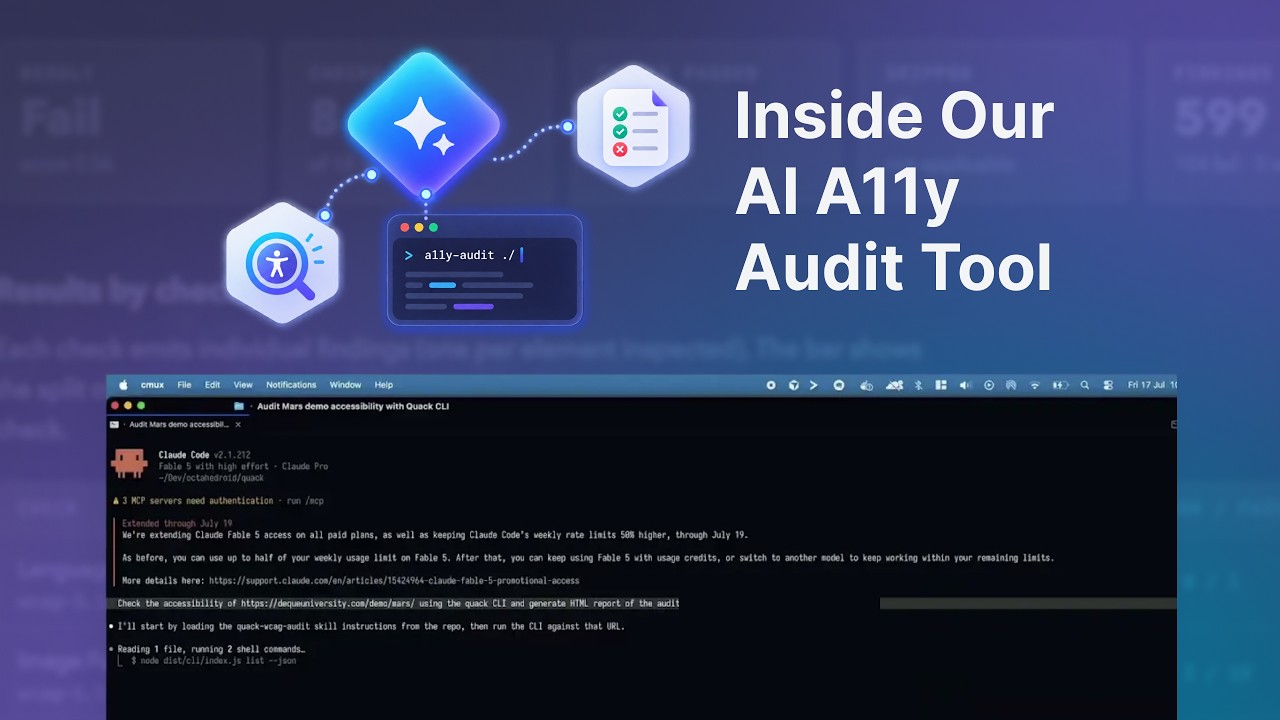
The tool is a command-line tool exposed to AI agents such as Claude Code and OpenAI Codex. The agent loads a skill, runs the accessibility checks, and produces an HTML report.
Building it this way was a deliberate choice. Developers already work with these agents, so an accessibility auditor that runs as one more command fits their existing workflow instead of asking them to leave it.
Because the checks run in parallel, a full pass finishes quickly enough to sit inside everyday development rather than a scheduled audit.
Automation and AI: Choosing the Right Layer for Each Check
Our first instinct was to run everything through AI. The token cost and the time cost made that impractical.
So we split the work. Automation handles the mechanical, deterministic checks, and AI handles the contextual judgment a human auditor used to make, such as whether an image's alt text is meaningful rather than merely present.
We go deeper into that split in AI vs. Automation: What's the Difference and How to Choose the Right Layer, and into the audit mechanism itself in How We Use AI to Accelerate Web Accessibility Auditing.
Here the point is narrower: the layer split is what keeps the tool fast and affordable enough to run continuously.
Why We Use Only Playwright's Engine for Faster Accessibility Checks
To keep the tool fast, we use only the engine part of Playwright that runs the testing, not the full framework. That lets us run 10 or 20 checks in parallel without the overhead a full suite would add.
Speed is what makes continuous testing realistic. A pass that finishes quickly can live in continuous integration or a pre-publish step. One that takes much longer gets pushed to the end, which is the problem we set out to avoid.
As Rosa explained during the session, the checks map to WCAG criteria, with at least one test per guideline, and AI supplies the contextual judgment on top.
For the full metric framework behind that, see Beyond Basic Compliance: Our Web Accessibility Audit Approach and Metrics.
The Audit-and-Fix Loop
Because the auditor runs as an agent tool, it can do more than report problems. Give it the code of the page, and it can apply fixes or lay out the trade-offs of different fixes.
This is where running as an agent, rather than as a standalone scanner, changes what the tool can do. A traditional auditor hands back a list of findings and stops there, because it has no access to the code and no way to act on it. An agent that already works inside the codebase can take the next step, turning a finding into a proposed change in the same pass.
Not every fix should be automatic. Some issues have one clear correction, such as a missing language attribute, while others involve a judgment call, such as how to reword alt text so it carries real meaning. For those, the tool can explain the options and their trade-offs instead of guessing, and a person makes the decision.
That turns an audit from a list of findings into a starting point for changes. The report tells you what is wrong, and the same tool helps you close the gaps, with a human staying in the loop for the calls that need one.
How an Agent-Native Auditor Fits CI/CD and Pre-Publish Workflows
The design pays off where accessibility testing needs to live. A fast, agent-callable CLI slots into three places:
- Continuous integration, running on each build before code merges.
- Pull-request review, where an agent runs the check as part of automated review.
- Pre-publish steps, catching content issues like missing alt text before they ship.
None of this requires a separate accessibility platform. The tool is small enough to add to the pipeline you already run.
See What Our A11y Audit Tool Finds on Your Own Site
The fastest way to understand what an agent-native auditor changes is to point it at your own site. We can run it against your pages, show you the accessibility issues it finds, and walk through which ones automation caught and which ones needed AI's judgment.
From there, we look at how the tool fits the way your team already works, where the checks belong in your continuous integration and pre-publish steps, and what it takes to make accessibility a routine part of how you ship.
Our Web Accessibility service is where we do this work with teams.
Want to see it on your site? Schedule a demo with our team.
Frequently Asked Questions
Developers already work with agents like Claude Code and OpenAI Codex, so an auditor that runs as one more command fits the workflow they use instead of asking them to leave it. The agent loads a skill, runs the checks, and produces an HTML report. Running the checks in parallel keeps a full pass fast enough to sit inside everyday development.
About the author
Ezequiel Olivas, Front-End Engineer
Ezequiel specializes in front-end development and web applications, bringing a curious and driven approach to every project. Known for getting things done, he's always exploring new tools and workflows, including AI-assisted development, to improve how the team builds.
Related Content
AI vs. Automation: What’s the Difference and How to Choose the Right Layer
By David Cespedes, July, 11, 2026What is the difference between AI and automation, and how do you decide which layer belongs where? Here’s our practitioner’s decision framework from enterprise pipeline implementations.
How to Tackle Web Accessibility Requirements? Approaches to 8 Common Issues
By Rosa López, October, 17, 2024This blog post aims to highlight the most frequent accessibility (A11y) issues and show alternatives to avoid them in our projects. Additionally, it serves as a brief and practical guide that offers strategies for designing accessible components from the start.